
Take payments in person
Terminals that take the payment, on clear pricing.
Clover devices and our acquiring partner's terminals for the counter, the floor, the till and self-service, or Tap to Pay on your phone. Whichever fits how you sell, on rates that stay where they started.
A card machine should be the most boring thing you own.
It should switch on, take the payment, and settle when you expect. What actually happens with many providers: rental fees that creep, rates that rise after the first year, and a support line that reads from a script when the terminal drops offline on your busiest day.
The terminal range
Clover devices alongside our acquiring partner's terminals: handheld, countertop, smart terminal, the full till, PIN pad and self-service. Whichever device you choose, you have the same person to call.
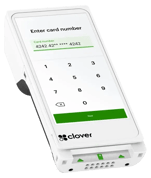
Clover Flex
Takes the payment, prints the receipt and runs your till apps in one hand. Connected over WiFi or mobile data, so it works at the table, across the yard or on a delivery.
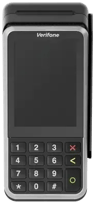
Clover Mini, or a countertop terminal
The Clover Mini runs the till on a compact touchscreen and prints receipts. For a fixed till with queues, a wired-in countertop terminal from our acquiring partner's range.
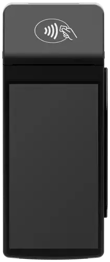
With a built-in printer
Takes the payment and prints the receipt on the same device, with a screen your staff can read across the counter.
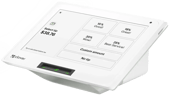
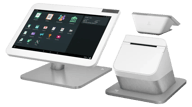
Clover Station Duo
A till screen for your staff and a second screen facing the customer for tapping, tipping and receipts. Built for the fixed counter with queues.
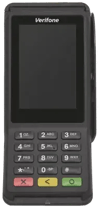
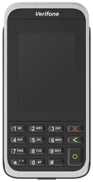
Clover Compact, or a PIN pad
The card reader beside the till system you already run: the till rings up the sale and the reader takes the card.
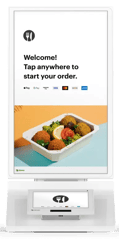
Clover Kiosk, or a built-in terminal
The Clover Kiosk lets customers order and pay without anyone at the counter. For lockers and unattended units, a self-service terminal that builds into the kiosk itself.
Reliability
Built to keep working when the WiFi drops
Devices fall back to mobile data automatically. If something does go wrong, you are not opening a ticket and waiting. You are calling an account manager who knows your setup and can tell you what is happening.
- Automatic fallback between WiFi and mobile data
- Next-day replacement if a device fails
- An account manager on the phone, not a script
More ways to take a payment in person
Countertop, portable, smart, PIN pad, self-service or Tap to Pay on your phone. Whichever device you choose, you have the same person to call.
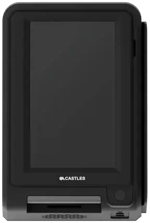
For the fixed till
Wired in, always on, built for queues. The device your staff never have to think about.
For tables, forecourts and floors
Take the payment at the table or across the yard. Connected over WiFi or mobile data.
With a built-in printer
Takes the payment and prints the receipt on the same device.
With your till system
A card reader that works alongside a till system, so the till rings up the sale and the reader takes the card.
For kiosks and lockers
Built into a kiosk or locker, so customers pay without anyone at the counter.
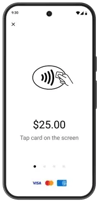
For your phone
No hardware at all. Take contactless payments on the phone already in your pocket.
See Tap to Pay →Questions before ordering
Days, not weeks. We confirm the right device on a short call, ship it configured, and you take your first payment the day it arrives.
We will show you the terms before you sign anything, in plain English. If you have been stung by rolling terminal rental before, say so on the call and we will go through exactly how ours compares.
Yes. Countertop at the till, portable for the floor, Tap to Pay for staff on the move. Our terminals and Tap to Pay settle and report together; Clover devices report through Clover.
Tell us how you sell. We'll match the device.
A short conversation about your setup, then a straight recommendation. If Tap to Pay on your phone covers it, we'll tell you that too.